Optimizing product catalogs, also known as data feeds, is key to successfully marketing your online store.
Omnichannel is a key factor these days, as it’s important to diversify your ad budget, especially for product ads, to drive sales through multiple channels. In this article we’ll look at how to optimize these product catalogs for different sales platforms to improve the quality of your feeds and your product sales.
Contents
- Google Shopping
- eBay
- And many more
Google Shopping
Every eCommerce that wants to increase its online sales will, sooner or later, turn to Google Ads. And Google Shopping is its campaign type dedicated to online stores. Creating these campaigns starts with uploading your product catalogs to Google Merchant Center. Once they’re approved, you can create one or more campaigns with your products, which will appear in Google search results and/or in a separate Shopping tab.
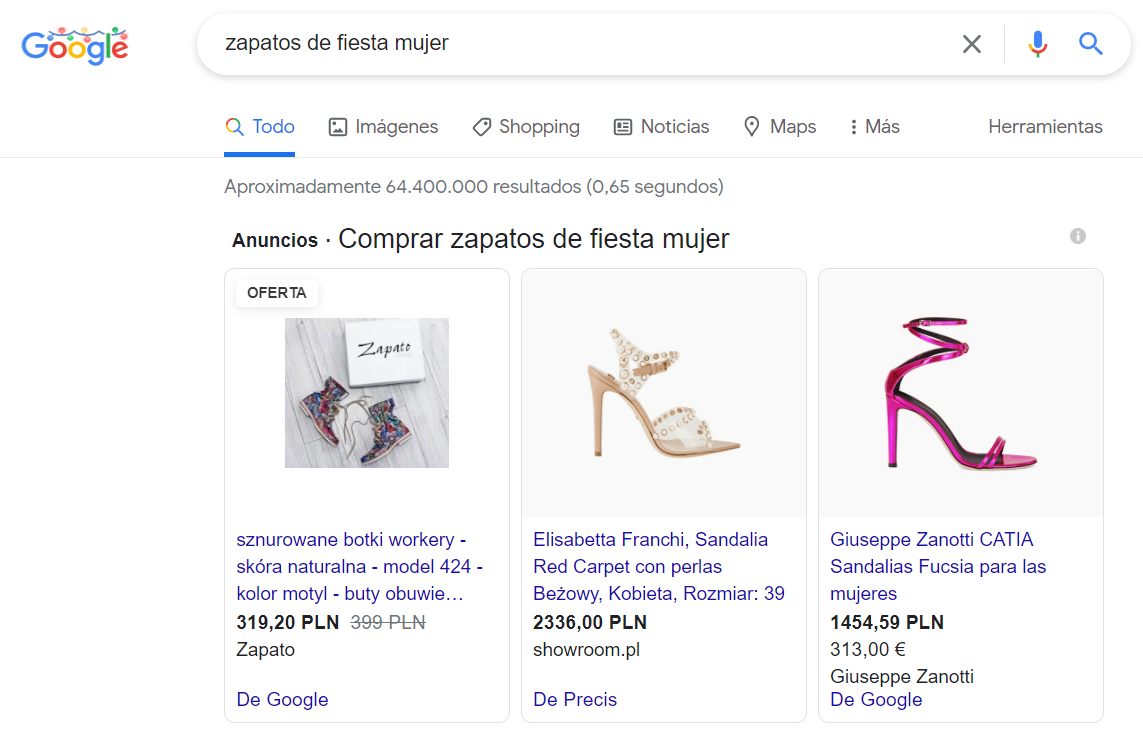
Example of an ad in search results
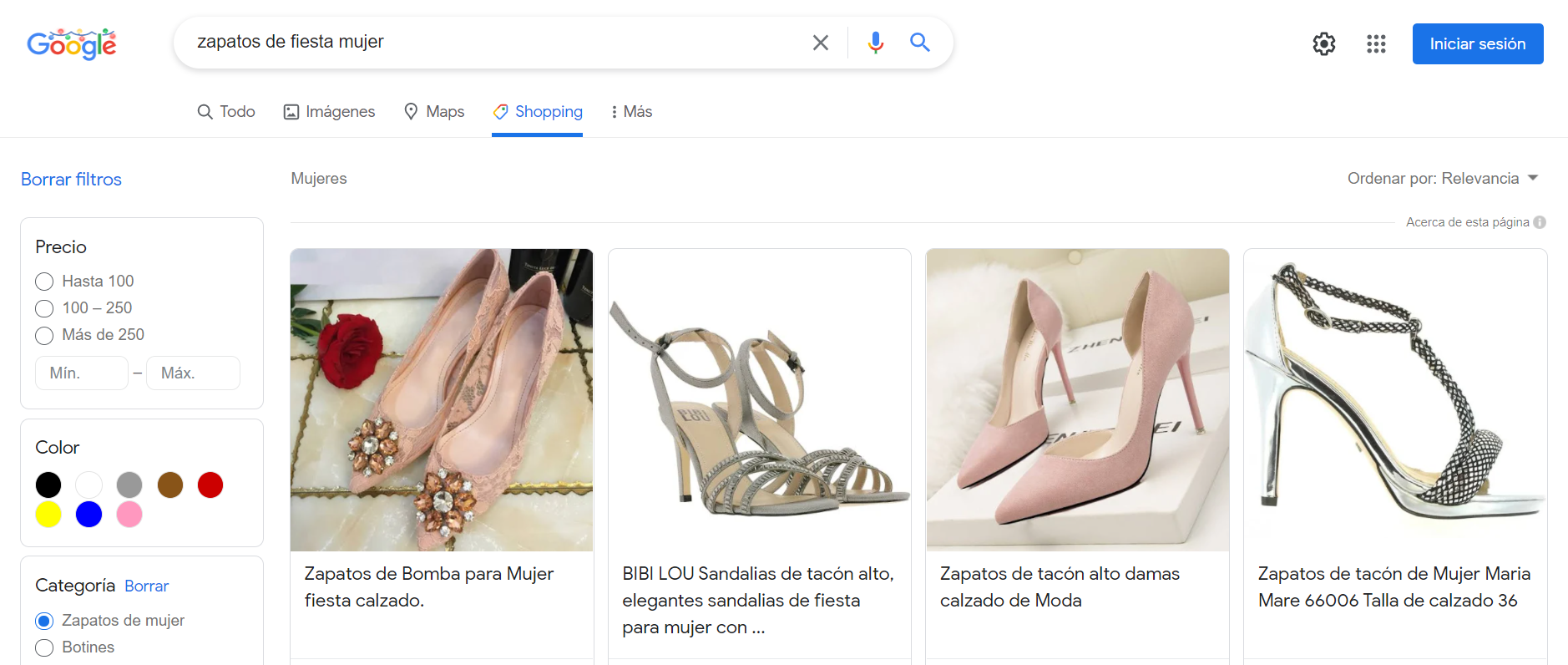
Example of an ad in the Shopping tab
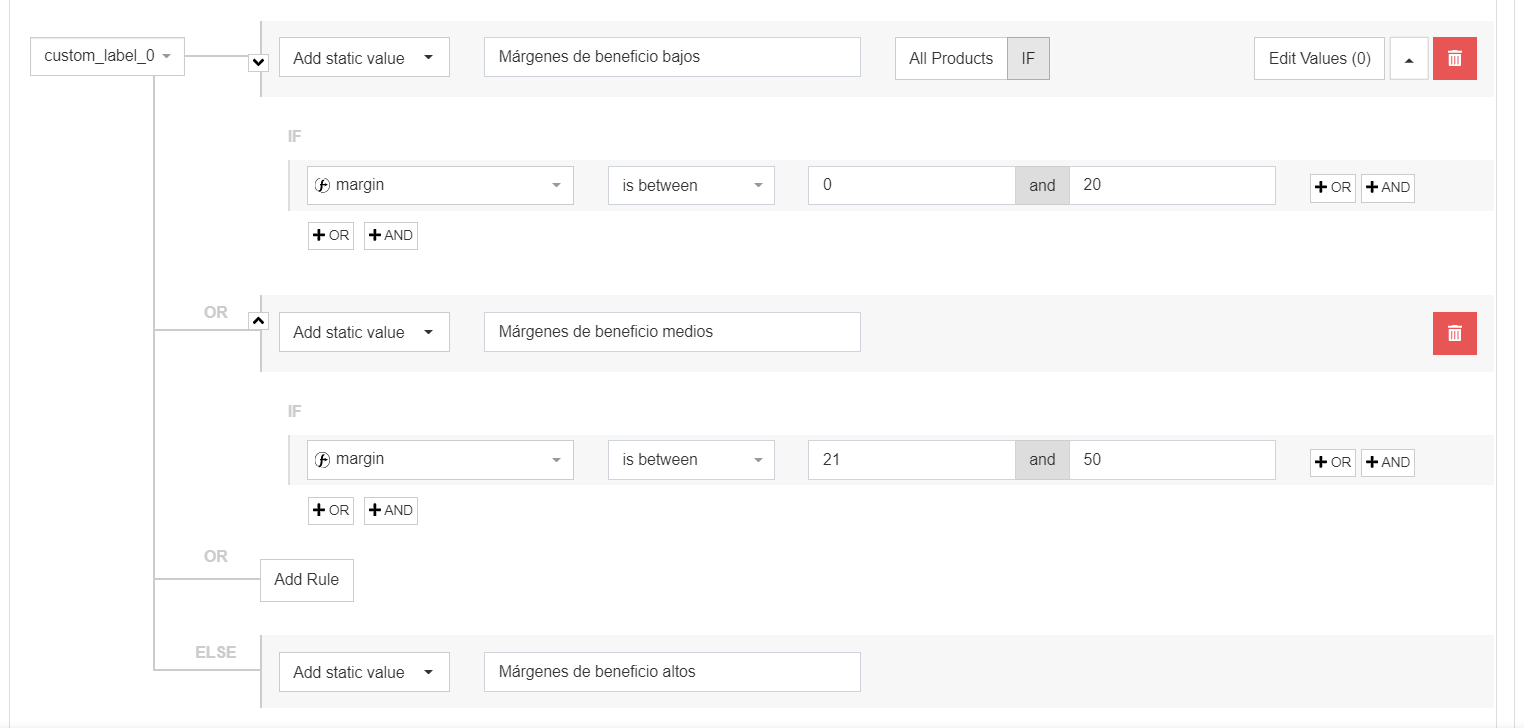
One of the most important ways to optimize a Google Shopping campaign, apart from making sure all your products meet the basic approval requirements and getting your campaigns running, is to create custom labels.
For example, if you sell party shoes, like the advertisers in the example, you’ll probably have several price ranges. Let’s say you have budget party shoes from lesser-known brands, mid-range ones from well-known brands, and high-end ones from exclusive brands like Louis Vuitton, Christian Louboutin or Jimmy Choo.
You probably won’t want to bid the same for budget shoes as for high-end ones, since the profit they bring won’t be the same. But you also won’t want to split your campaigns brand by brand, as that could lead to extremely complicated structures with hundreds of brands.
Here’s an example of the results of using the same CPA for shoes with different profit margins:
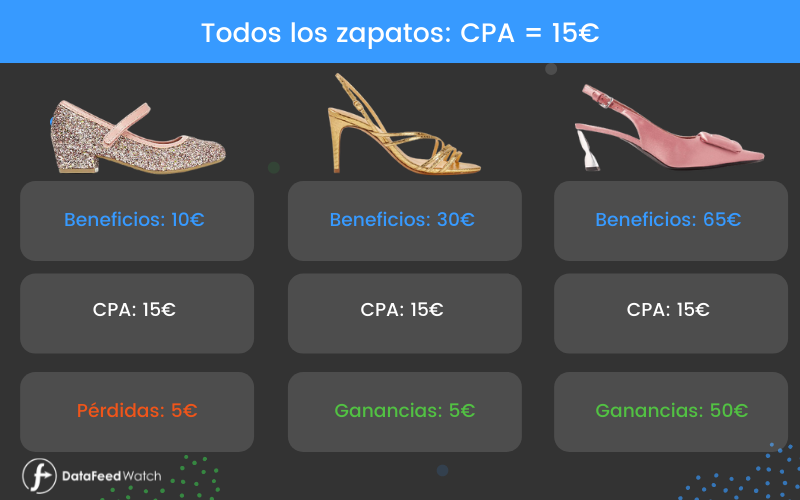
You’ll see that with a €15 CPA for all shoes, you’ll lose money on the budget shoes you sell, make reasonable profits on mid-priced shoes and quite high profits on the most expensive ones.
In this case, the best approach would be a lower CPA for budget shoes and a higher one for expensive shoes. This will boost your profit on budget shoes and make you more competitive on expensive ones.
And here’s an example of how you could easily set it up with a platform like DataFeedWatch:
You can advertise products on Instagram with a Facebook catalog since, as you know, both belong to Meta. You can manage both platforms from Meta Ads Manager, which lets you advertise your products on Facebook, Instagram, Messenger and Audience Network.
Instagram catalogs are mainly image-focused. While on Google Shopping we focus on advertising all products and their variants, on Instagram we want to use our best images and should try not to use product variants, as they won’t look good in dynamic ads.
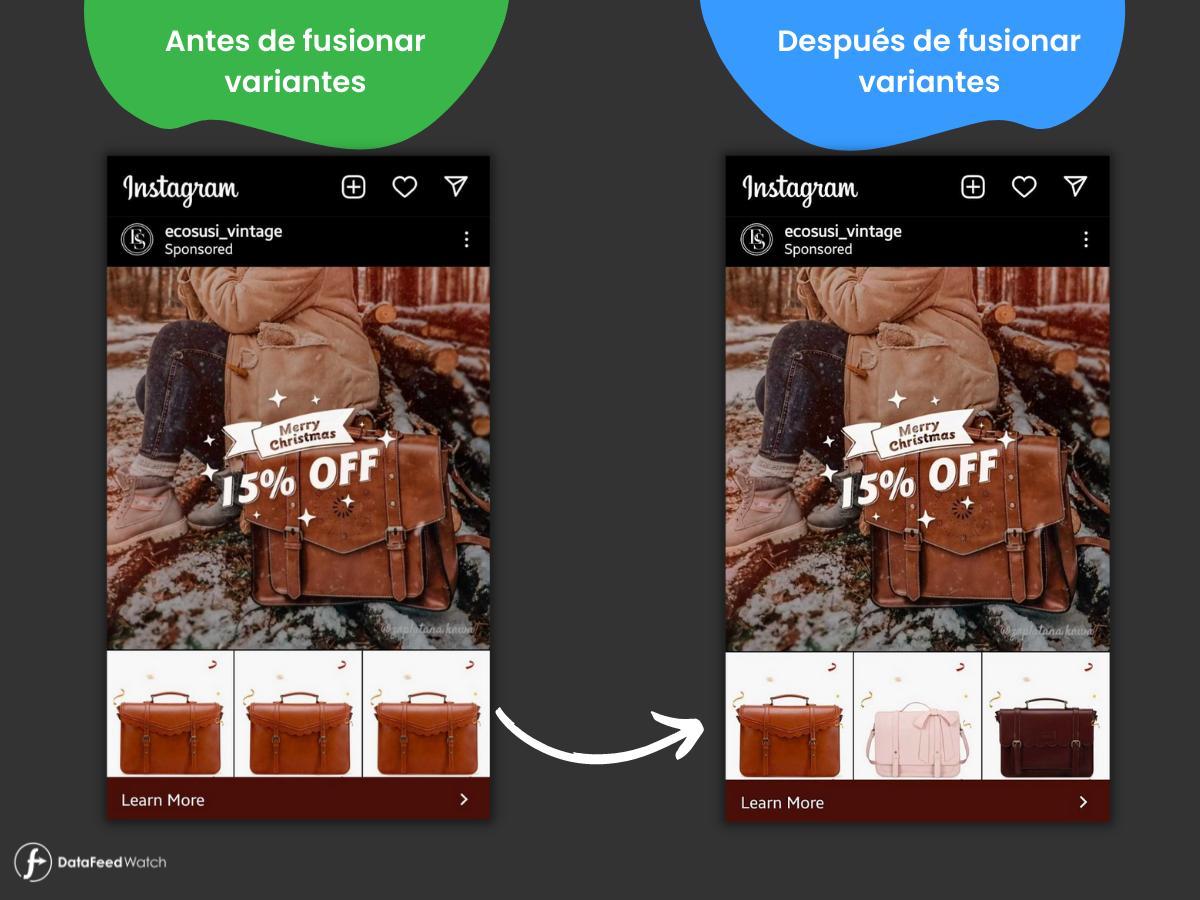
For example, if we have a bag in different sizes, the images for the variants may be identical (as in the example photo below) or very similar.
But if we merge variants, instead of the same type of bag, images of different bag models will appear, making the ad more appealing to future buyers.
Bonus hack: in Facebook and Instagram catalogs you can add up to 20 images per product. To do so, remember to use the additional_images fields.
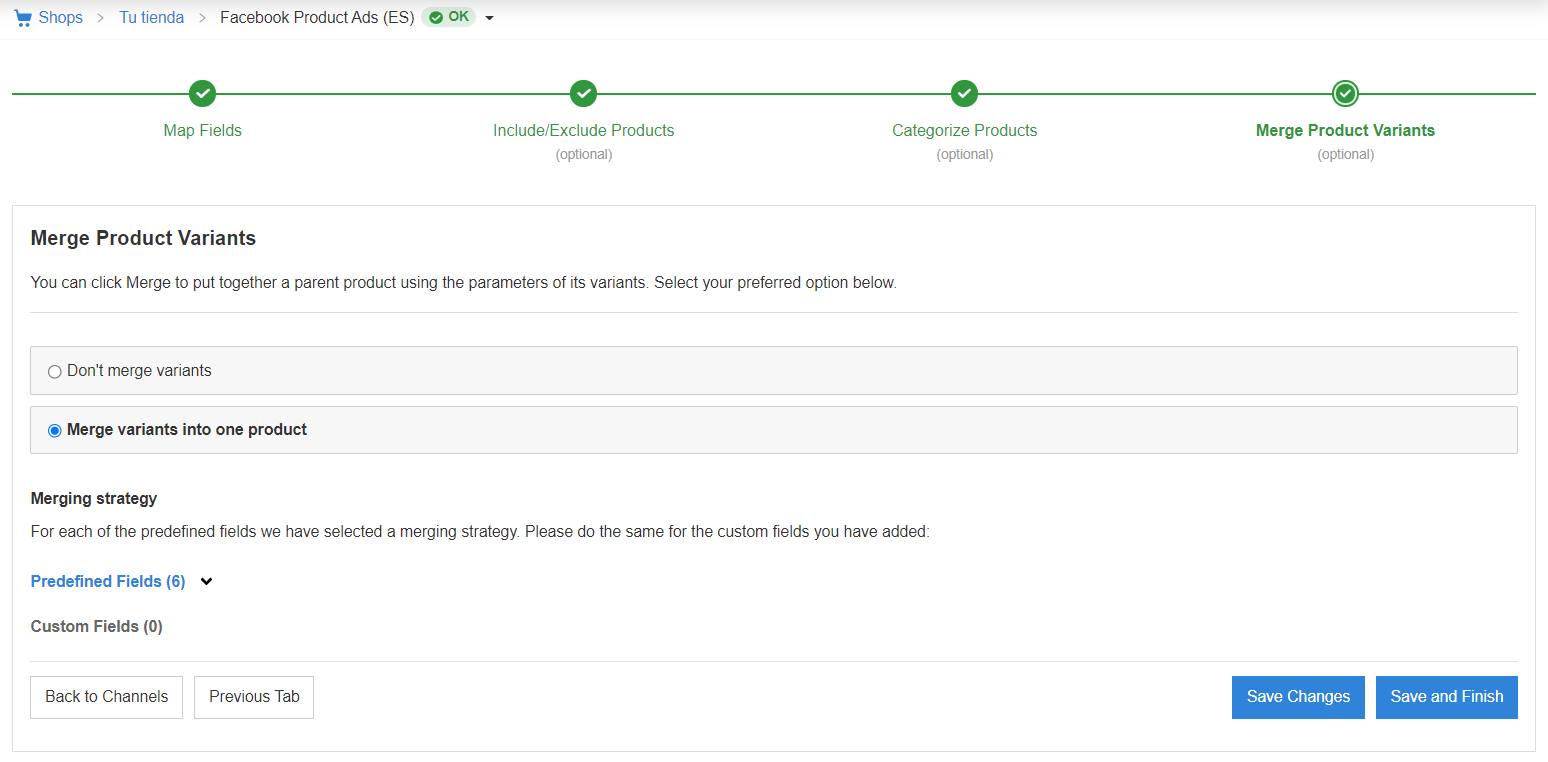
With a good feed management tool you can do this easily when setting up your Facebook Product Ads catalog:
eBay
On eBay, as on other marketplaces (Amazon, AliExpress, Rakuten, etc.), the most important thing is having good customer reviews.
To get positive reviews from your customers on eBay, try following these rules:
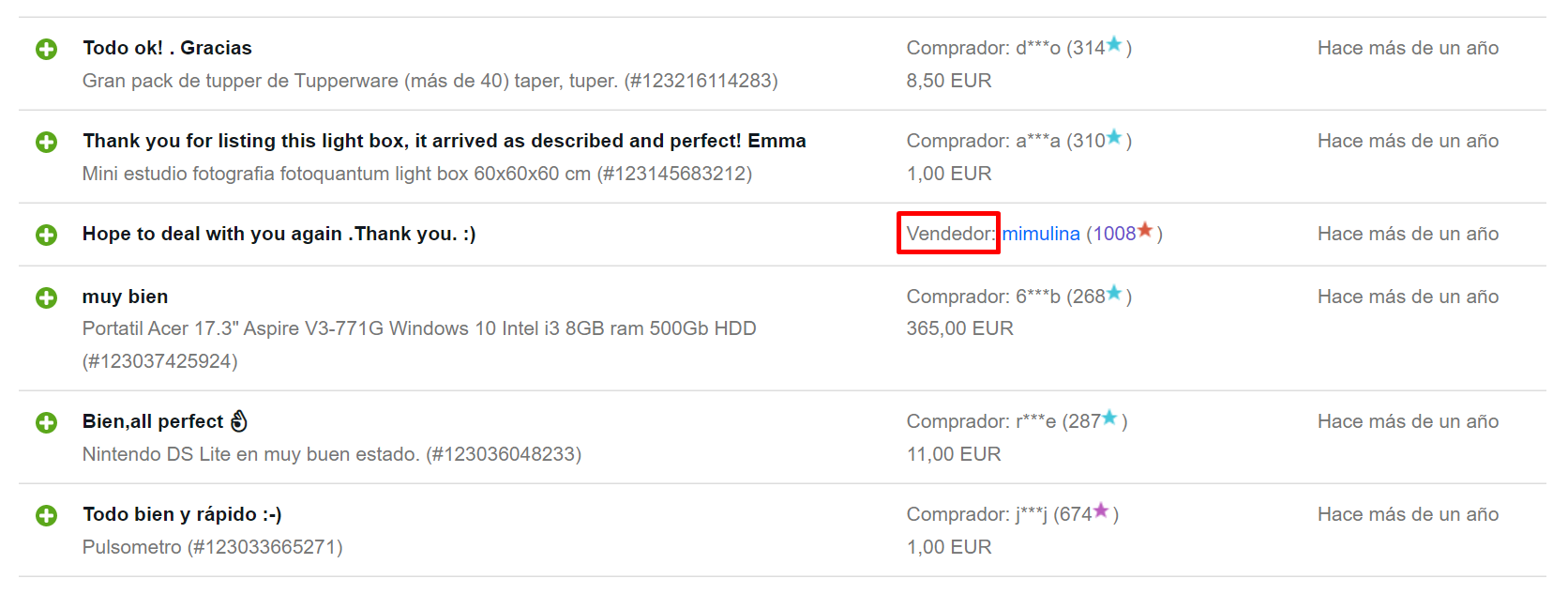
- The easiest trick to start getting positive reviews if you’re a new seller on eBay is to increase your level of feedback and you can do it by buying products. Yes, you read that right: by buying products you also receive feedback as a buyer, and eBay doesn’t distinguish between your feedback as a buyer or as a seller, so you can buy a few products and leave reviews for sellers so they do the same for you. If the review is positive, your profile will show 100% positive feedback . As you can see in the photo below, the seller pilimata got part of their 100% positive feedback by buying a product from the user mimulina:

- Try to ship products quickly. But if you can’t offer fast shipping, change the delivery times on your product page and extend them. It’s essential that you meet the timeframes you promise in your product listings.
- Take photos that show the product’s current condition. Especially if you sell second-hand products, make sure the photos accurately reflect the product the customer will receive.
- Accept returns from your customers. You may not get as much return on investment in the short term, but the positive reviews that come from an efficient returns process will help you sell more in the future.
- Wrap your packages well. This may seem obvious, but if you pack your products with several layers of protection you’ll prevent them from breaking on the way because, for example, a carrier didn’t handle them carefully. Unless you deliver the package to the customer’s home yourself, you won’t be able to control the whole shipping process, so focus on doing what you can to avoid this kind of mishap.
- Send automated messages to your customers with updates on their purchase and shipment. For example:
- We’ve received your payment. Thank you for shopping with us.
- Here’s your tracking number.
- Your order has been shipped.
These messages help customers know where their package is at all times and, as a result, build trust in you as a seller.
- Once you know the customer has received their package, send them an email asking whether they’re happy with their purchase (it can be the same one as ‘Your order has been shipped’), and add a CTA (call to action) saying ‘Leave us a review’.
- Finally, if you think one of your customers’ reviews is inappropriate, you can report it to eBay. If the language is vulgar or it reveals any kind of confidential information, eBay will remove the review.
And many more
In this article we’ve looked at how to advertise on three of the most important sales platforms, but there are many others, such as Facebook, Amazon, Awin, TikTok, ManoMano, El Corte Inglés… and many, many more!
Try to split your budget across different platforms instead of investing it all in one, learn about best practices like the ones we’ve outlined above, and test, test, and test again! It’s crucial to keep an open mind when advertising your products and to change strategies to get a good return on investment, because if you use one and never change it, your competitors may notice and use it to their advantage.
As common ground across all sales platforms and marketplaces, remember to optimize your titles, add good-quality images and include as much information as possible in your product catalogs.