Google Ads has been talking about “enhanced conversions” for a while. If you manage ad accounts, you’ve surely come across this concept: it shows up in more and more recommendations, and Google’s guidelines stress that implementing them is important. What are enhanced conversions and how can we implement them in our accounts?
Enhanced conversions emerged in response to the new Cookieless internet era. To advertise online, we need to stop relying on third-party cookies, since sooner or later they will disappear, and start using our First Party Data.
Basically, enhanced conversions let us keep getting transaction data even if the customer hasn’t accepted the cookie policy.
Requirements for enabling Enhanced Conversions in Google Ads
The more data Google gets, the better campaigns are optimized and the higher their return on investment, which is why implementing Enhanced Conversions is worthwhile.
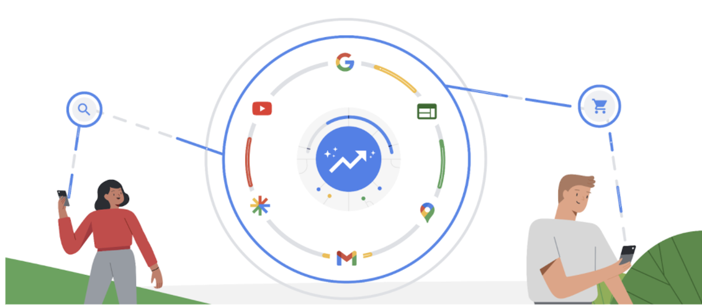
Thanks to enhanced conversions, you can record up to +5% conversion rate on Search ads and on YouTube ads it can increase by up to +17%.
According to Google data provided in its documentation as part of the Digital Champion 2022 program
What do we need to enable enhanced conversions in Google Ads?
- Have our eCommerce properly tagged. You need either Gtag.js or Google Tag Manager to make sure conversions are being tracked correctly.
- Use Google Ads as the conversion source. It’s important that conversions come directly from Google Ads, meaning you don’t import them from Analytics or import them as offline conversions.
- Customers must leave data on your eCommerce. Customers must register or enter their details on your eCommerce for you to have First Party Data.
How do enhanced conversions work?
It’s no surprise that Google stores vast amounts of data. Chrome is the most widely used browser and we usually browse while signed in to Google. So when you buy from an eCommerce site with enhanced conversions implemented, even if you don’t accept cookies, Google receives your data in encrypted form (phone, name, email…) and can check whether your Google session that saw an ad on YouTube, the Display network or Google Search is the same one that made the purchase.
Now that the GDPR and privacy terms have become so important in Europe, we may well ask: do enhanced conversions comply with these new regulations?
The answer, of course, is yes. Under the law we cannot store or use a person’s data without their consent, but in this case you are not using it: you simply know that your Google Ads campaign generated a sale or conversion, while the customer’s data remains unknown to us because Google keeps it encrypted. It therefore fully complies with the requirements of the new data protection law.
How to set up Google Ads Enhanced Conversions
Google Ads is making it easier to implement conversions in your account. Under Tools, in the conversions section, choose the conversion you want. (Remember the source must be Google Ads directly; it won’t work if you’re importing conversions from Analytics.)
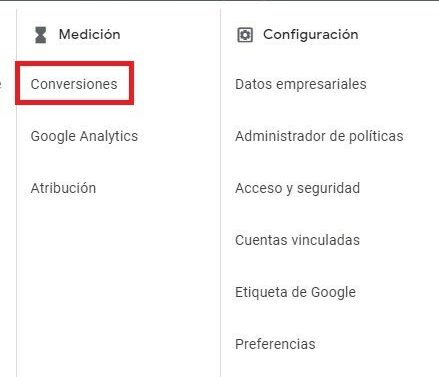
You’ll see a checkbox to enable them, along with several methods. The simplest is to use the Global Tag.
You add your domain and, in some cases, it allows automatic setup.
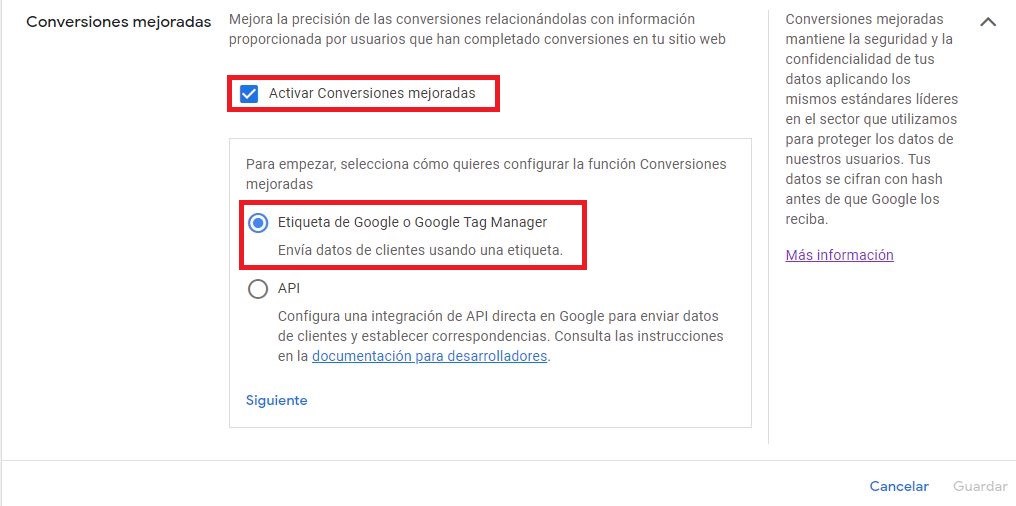
What if it doesn’t? In some cases automatic setup isn’t possible. You can do it through Tag Manager using CSS or JavaScript.
If you’re not a developer, CSS is the easiest way to set up Enhanced Conversions with Google Tag Manager, as it usually requires no changes to the page code, as long as customer data is present on the conversion page (for example, the email).
If you have a more technical background, you can do it in code as a single data object using JavaScript variables on your conversion page, as long as customer data (for example, emails, phone numbers, etc.) is defined in the conversion page’s global JavaScript variables.
If you still can’t enable it after following all these steps, Google’s technical team offers support to implement the changes, and Trilogi, as a Google Partner Premier agency, can support you too. So there’s no excuse not to start preparing for the new cookieless era. Don’t wait any longer!