Business Manager is the new tool Facebook has created to manage and administer different ad accounts, fan pages and apps from a single platform. An ideal solution that the Online Marketing Department at Trilogi (TLG Commerce) has quickly adopted, since —like the Google Adwords MCC (Manager Account)— it makes it possible to work on different client ad accounts in a single tool: Facebook Business Manager.
What is Facebook Business Manager?
Facebook Business Manager is Facebook’s platform for companies that lets you manage pages, apps and ad accounts for any business with an online presence and a Facebook profile. Any member of a business can see all the information in one place, without having to share login details.
Creating a Business Manager account is fairly simple. You just need a personal Facebook profile; with it you can access Business Manager and create a business account with the name of the person in charge and a company email. Once inside, you can add different people and assign them roles and the pages and ad accounts they can work on.
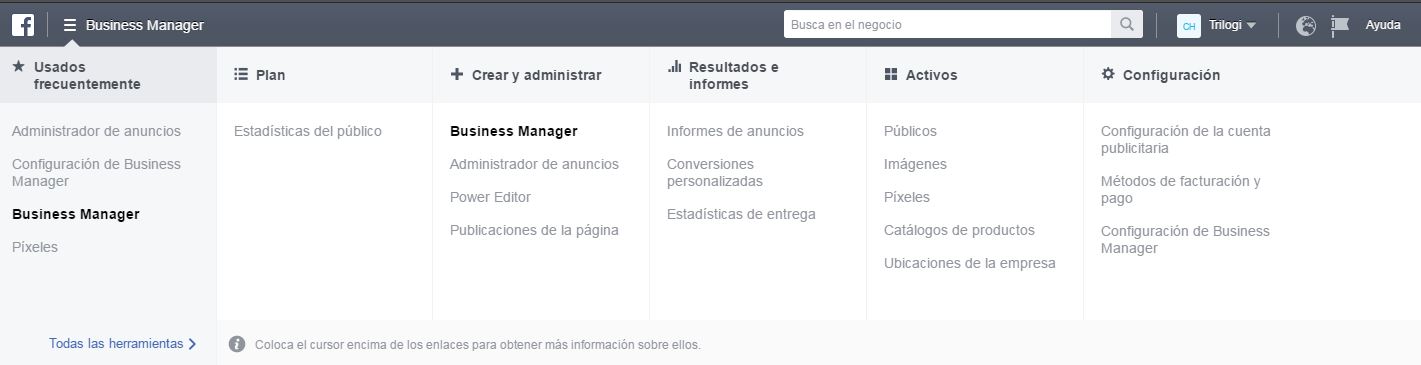
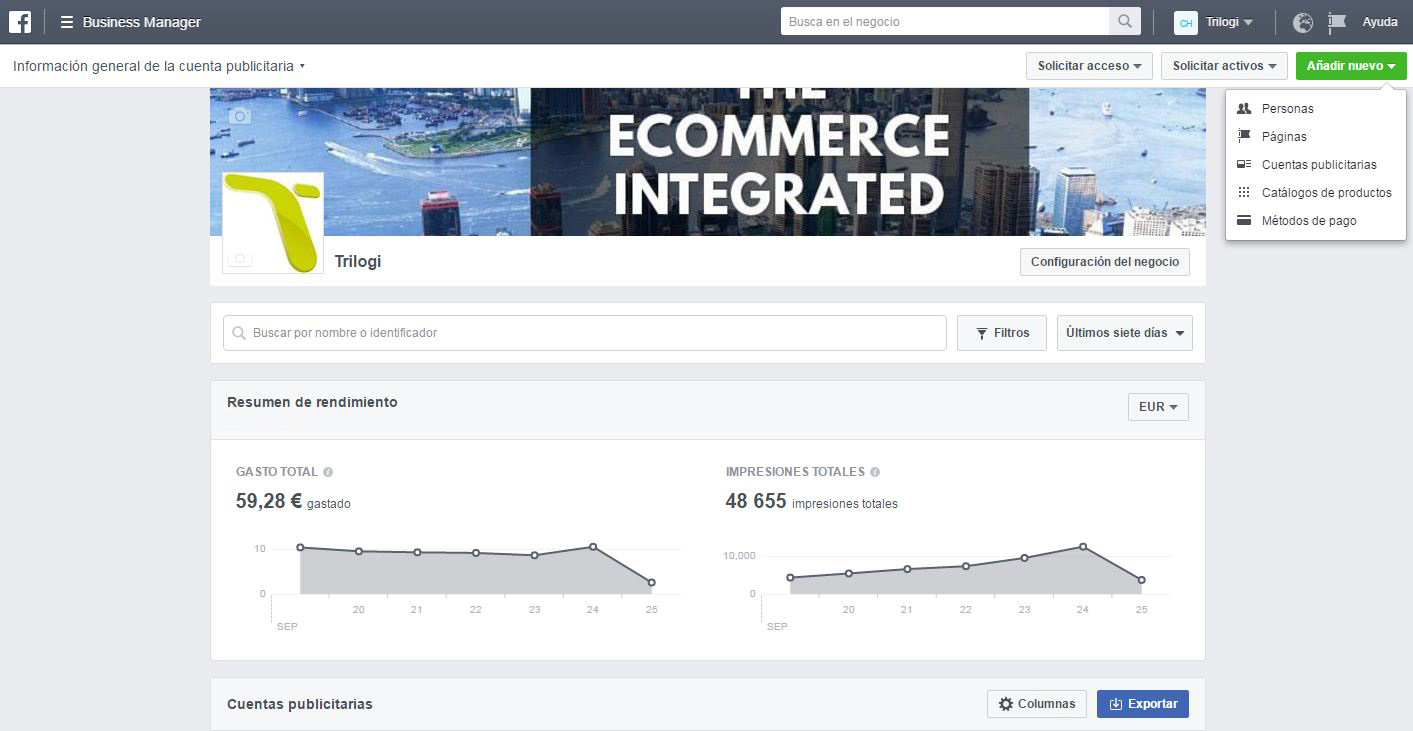
Although the initial setup may seem a little confusing at first, the key to Business Manager is that it brings every function together in a single menu. On this platform you can check at any time the status of your fan page, the daily performance of your ad account, the reports generated by Facebook or your audience statistics.
Advantages of moving your account to Facebook Business Manager?
Many. To begin with, it makes day-to-day work easier for online marketing agencies, companies or individuals who manage several Facebook accounts. In a single interface you get access to all your clients’ fan pages, ad accounts and statistics. All this helps organize and manage each task, avoiding mix-ups between profiles, pages and, above all, ad budgets and bank details.
In case that still doesn’t seem like much, here are some other advantages Facebook Business Manager offers:
- Role differentiation: ideal for working with an external agency or internal teams, since its main function is to distribute work, assign roles and link ad accounts or pages between different partners. You could say this is its strong point: a tool that truly fits the needs of a modern online marketing agency.
- Ad accounts: besides integrating Ads Manager (which lets us run completely separate campaigns without mixing budgets or bank details), it also integrates Power Editor, Facebook’s advanced control panel, which even lets us schedule Instagram campaigns.
- Designed for agencies but also benefits clients: because all the information sits on a single platform, clients can keep the full history of their page or ad account, regardless of how many agencies have managed it.
- Recognition for the agency: working with Facebook Business Manager and managing different clients’ accounts through it can also become a criterion clients take into account. Offering a serious service backed by expertise in Facebook Business Manager is also clear proof of the agency’s know-how.
Let’s not forget the Facebook Pixel
Through Facebook Business Manager we can also create and manage the well-known Facebook Pixel.
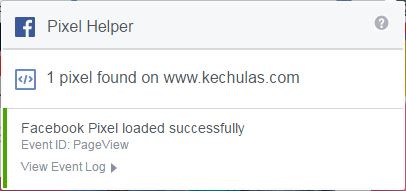
The Facebook Pixel is a piece of code we insert on a specific page of the website or online store; it lets you use the actions people take on your site to set up more effective Facebook ad campaigns.
- Measure conversions
- Optimize ad delivery to people likely to take an action
- Automatically create custom audiences of website visitors so you can target them again: these are the well-known Retargeting campaigns applied to Facebook advertising. Everyone who has taken some kind of action, such as visiting the website, adding a product to the cart or buying, will be added to the custom audiences created with the Facebook Pixel
- Creating dynamic product ads
- Audience insights: statistics about the people who visit your website
We could already do all of this before, but Facebook Business Manager lets us keep all this relevant information on a single platform. We can create pixels for the different clients we manage quickly and easily.
More about Facebook Business Manager
Trilogi’s Online Marketing Department currently manages ad accounts and fan pages through Facebook Business Manager, a new Facebook tool that has changed life for many online marketing agencies, freelancers and companies.
We have to admit that, although Facebook Business Manager is a good idea for online marketing agencies that has finally been put into practice, it still has room for improvement:
- It requires quite a bit of setup: configuring all the pages, profiles, roles, ad accounts or pixels takes considerable patience at first.
- There’s a limit on creating your own ad accounts: you can only create 2 ad accounts with Facebook Business Manager, so we recommend that each client create their own Business account and grant management permissions to the agency.
It wouldn’t be surprising if, in the not-too-distant future, Facebook Business Manager became a must-use tool beyond the occasional boosted post, which is why it pays to get to know it better.
At Trilogi (TLG Commerce) we’ll help you create and manage your fan page or ad account using Facebook Business Manager.
And you—do you want to dive into the world of Facebook advertising?