What have we got for you today? Despite the good weather and the urge to enjoy the holidays, we bring you a topic few have heard of, a very murky one that most of us consume every day without realizing it. Yes, design has a dark side, just like supermarkets, casinos… where background music, temperature and colors influence consumers’ decisions. Digital design couldn’t be left out, and to make you aware of the messages we receive, we’re going to talk about dark patterns or Dark Patterns.
Ready? Let’s go!
What are dark patterns, or Dark Patterns?
The name gives us a hint as to why they’re called that: they’re deceptive tricks built into an interface design that make you take decisions you don’t want to or didn’t even notice. These unwanted actions can reveal personal data, keep you on a website longer, make you buy a service you don’t need or make it hard to cancel others.
So why are these patterns used if they’re meant to trick users?
Because, like any business, companies get something in return, even if not in the most honest way. These aren’t usually long-term practices, but short-term ones. Yet despite being unethical, many companies keep using them because they can reap the rewards without users knowing what’s going on. They’re intentional designs with a “malicious” component.
You’ve surely received so much spam from a website that it only made you anxious and want to leave. And what about the times you’ve tried to delete your account on a site and couldn’t find the right button, or faced endless steps? Or when you wanted to contact a store and it was impossible?
Anyway, some are made with very bad intentions, while others are more subtle and play on our psychology. It isn’t always purely negative; there can be shades of gray. But it’s true that this isn’t part of a UX designer’s job, which is first and foremost to put users’ needs first.
Let us show you the most common dark patterns so you can spot them in time!
Types of Dark Patterns
#1 Roach motel
In short: easy to get in, hard to get out! They make it easy to sign up for a service quickly and comfortably, but then make it hard to leave or cancel it.
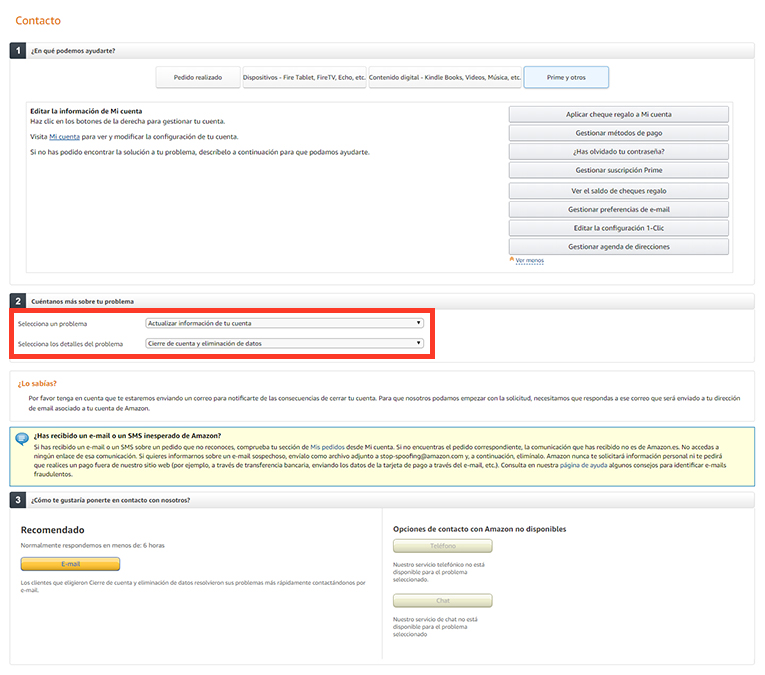
In this example, I literally spent half an hour trying to figure out how to close my Amazon account. It’s not under “My account” or in the footer… You have to contact them and, even then, find the right option to get “Close account and delete data”. They couldn’t make it any harder! (If you want to close your account and don’t know how, let me know and I’ll be happy to help ??).
#2 Misdirection
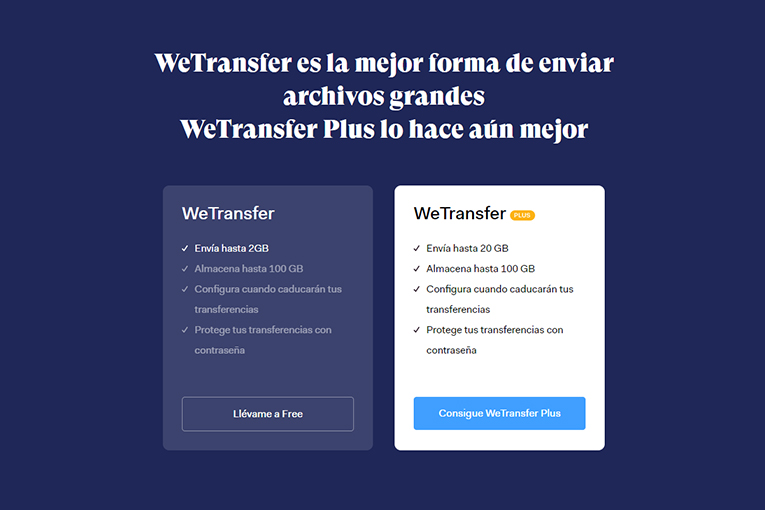
The design draws your attention to one action so you don’t notice another. This example isn’t as harmful as others, but the aim is to focus your attention on the paid plan rather than the free one.
#3 Confirmshaming
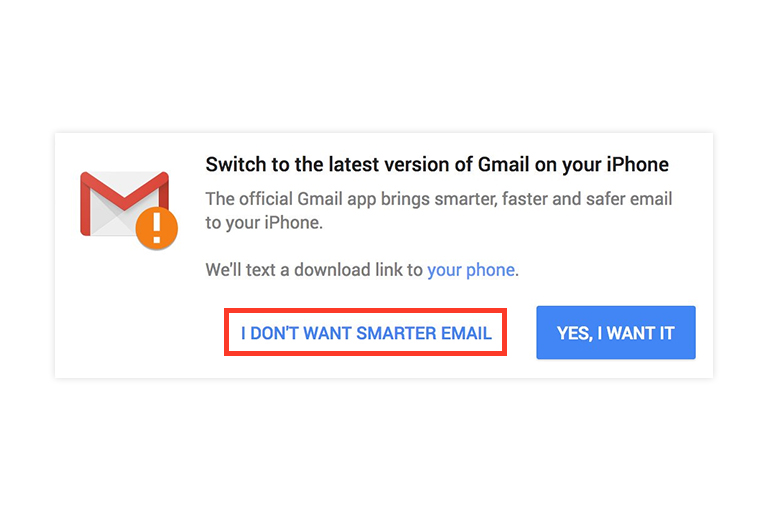
They make you feel bad for declining the option they’re offering. It’s a way of shaming users into doing what they want. In this case, it seems that if you don’t want to download the latest version of Gmail, you’re not making the “smarter” choice ? .
#4 Friend spam
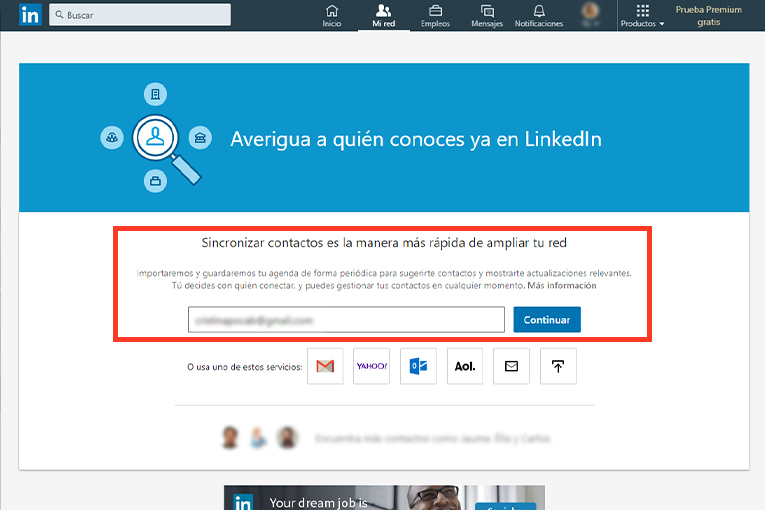
The product asks users for their email, for example through a social network, saying it will send them interesting information, but ends up using it to send emails in their name to all their contacts, spamming all their friends. Syncing your contacts with a platform often triggers these automations.
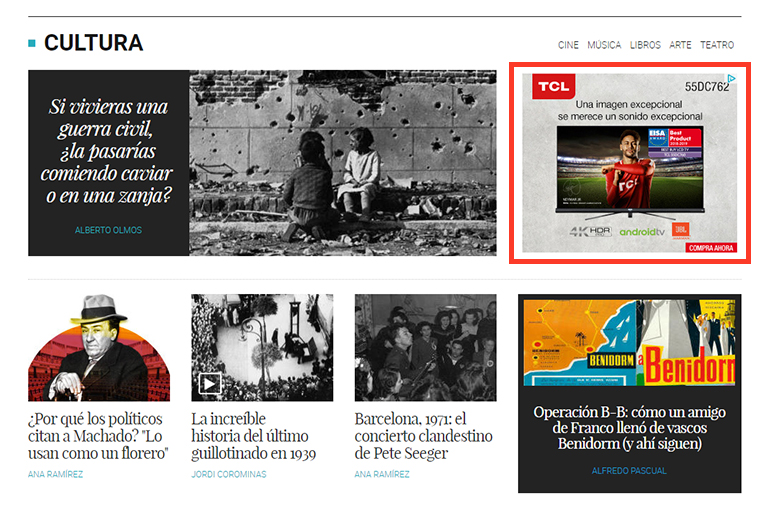
#5 Disguised ads
These are ads camouflaged within the content or navigation, often sharing the same styles, and disguised so you end up clicking on them without realizing. They can look like regular content, buttons, video players, blog posts…
#6 Privacy Zuckering
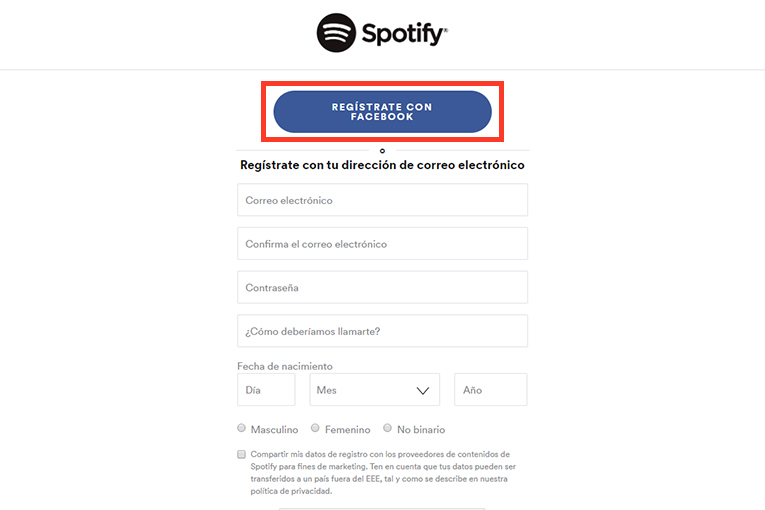
It’s named after Facebook’s CEO, Mark Zuckerberg, and involves getting you to share more content publicly than you’d like. This is mostly due to the fine print we often accept, which lets them use your personal data freely and sell it to other companies. Signing up with your social media profile means you hand over more information than you would by filling in a regular form.
This is something we’ve always come across, and scholars like Francis Bacon, and Aristotle before him, were already referring to it with the famous phrase “Knowledge is power.”
Here’s a link about the latest viral challenge doing the rounds: taking and posting a photo of yourself on social media showing what you’d look like as an older person using the FaceApp app (for Android and iOS), under the hashtag #faceappchallenge: See related post
Should Dark patterns be used in your eCommerce UX design?
Obviously not. We need to be transparent. We’re clear that:
- UX designers will always put users and their needs first
- Business interests must be aligned with user interests
- And the most relevant actions and information will always be made easy, with no tricks
Given that our main goal is to design usable, intuitive online stores that help users complete their purchases, it’s our duty to work conscientiously and give our customers full decision-making power so they can achieve their goals as easily as possible.
To wrap up, here’s a video with examples of Dark Patterns, courtesy of Nerdwriter / darkpatterns.org:
We hope you found this post interesting. If you’d like to share another point of view or your own experiences, we’d love to hear them and learn more about how situations like these make you feel.
Here are links to previous posts, in case you missed any:
As always, don’t hesitate to contact us ?.
Until next time!