Carmina Shoemaker is a company founded by Matías Pujadas in 1866 on the island of Mallorca. Six generations later it remains active and established as an international market leader, with its own stores in Barcelona, Palma de Mallorca, Saint Petersburg, Paris, Singapore and Madrid, plus points of sale across the Americas, Asia, Europe and Oceania.
As part of the growth and planned improvements for its online channel, at Trilogi (TLG Commerce) we developed a new custom feature for Carmina Shoemaker that lets users design their own shoe model by following the steps of the product configurator.
The customization tool lets users choose from different options (models, materials, colors, buckles, toe cap, laces, etc.) and create a fully bespoke shoe, with the option to add their initials on the sole and their full name on the lining.
Below we explain how this powerful tool works. It launched on November 5 on the international and US websites.
The first time users open the configurator, an information layer shows them the steps and how the configuration process works.
The first step lets users choose the type of footwear they want to buy and custom design (Blucher, Boots, Loafers, Buckle, Oxford).
Once the product type is selected, in this case “Boots”, users need to select the model from all the options available on the website.
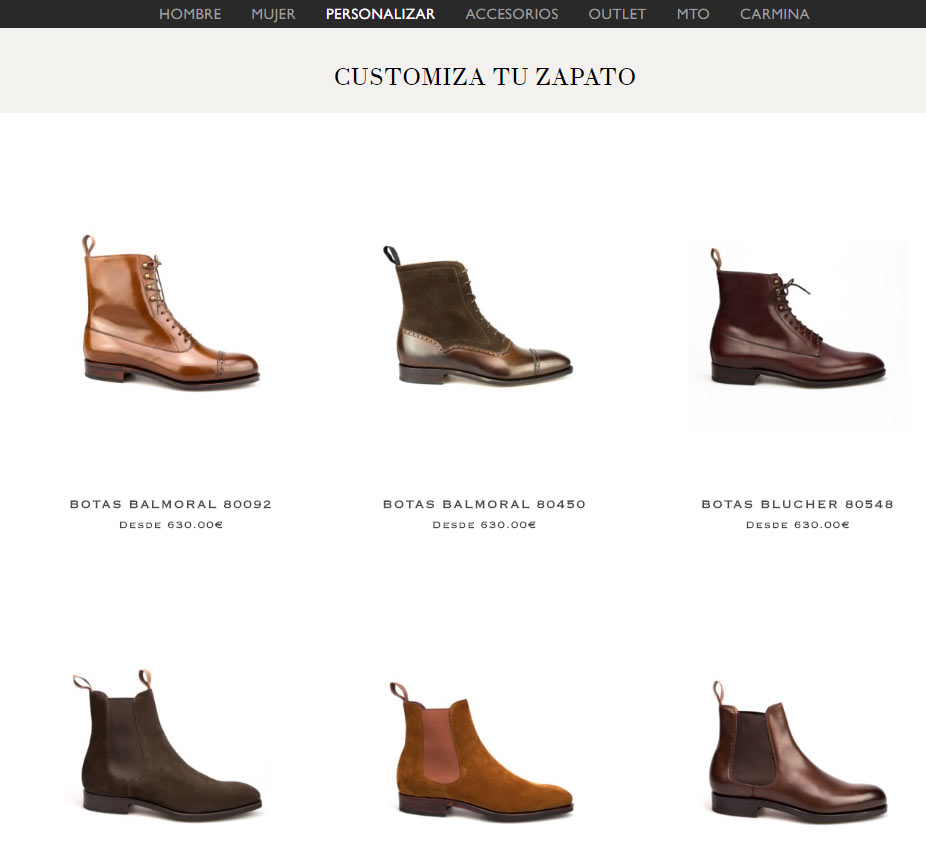
Once the model is selected, the actual customization process begins.
Depending on the shoe chosen, there are more or fewer customizable steps. Users go through each one to move step by step through configuration and customization.
Visual elements along the way keep the process simple and clear.
The total number of steps depends on the product type, since some have more options, as is the case with Boots.
Here the steps are as follows:
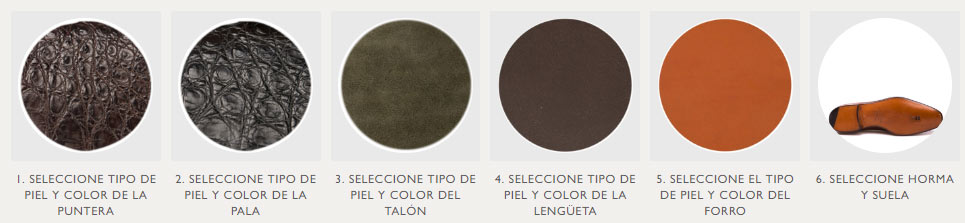
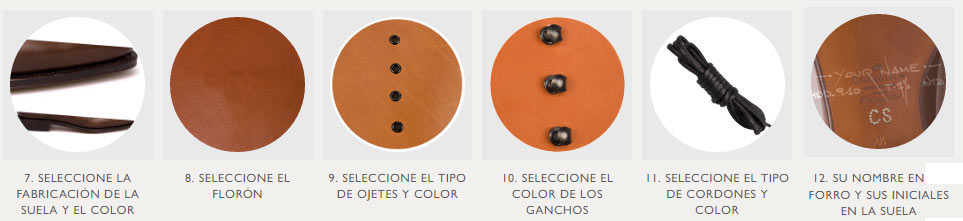
Throughout the process, users are shown which step they’re on, what to select and the available options.
This keeps the process as simple and user-friendly as possible.
The current step is clearly highlighted, with the following steps shown in the background for reference.
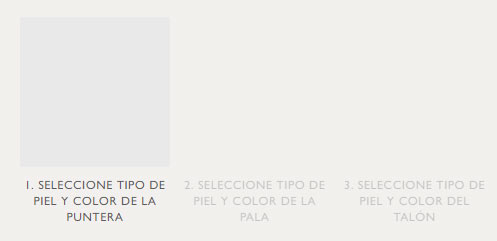
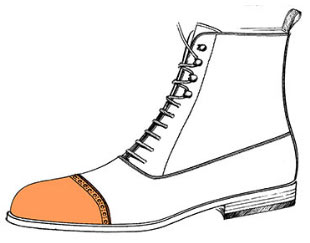
Image of the selected model with the area being customized highlighted, plus an explanation of the current step with the relevant detail and the price.
The price updates dynamically throughout the process so users always know the product’s total price based on the options selected.
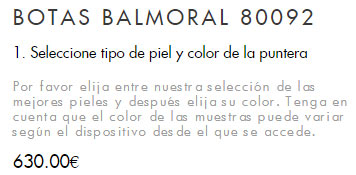
Selection of the type of material that can be used on the product.
The available options change depending on type and model.

Color selection based on the material chosen previously.
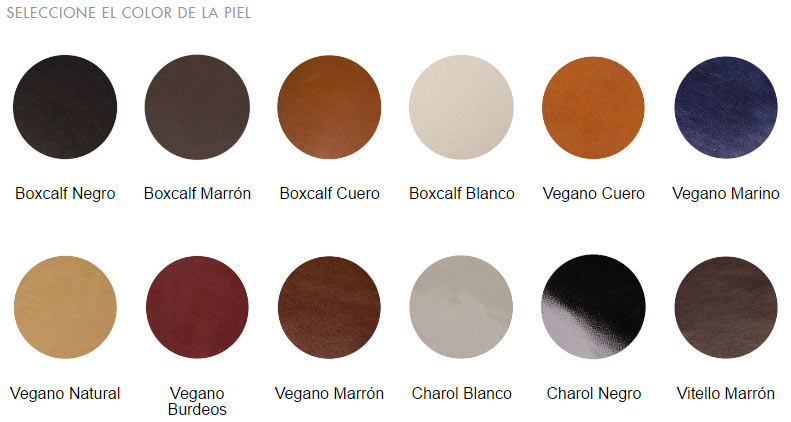
Once the options above are selected for the first step (“Choose leather type and toe cap color”), users move on to the next step, with similar options.
Summary of the selected options and product purchase.
Once all steps are complete, the screen shows a summary of all selected options and the total cost of the configured product.
All that’s left is to add the product to the cart and check out as usual.
More than a week after launching this new feature, developed by the TLG Commerce team and coordinated by Sergi Haro (Project Manager), we can say it has been a huge success, with a spectacular response from users. A great move by Carmina Shoemaker to spot what customers needed and involve Trilogi (TLG Commerce) in an implementation that has exceeded all sales forecasts.